
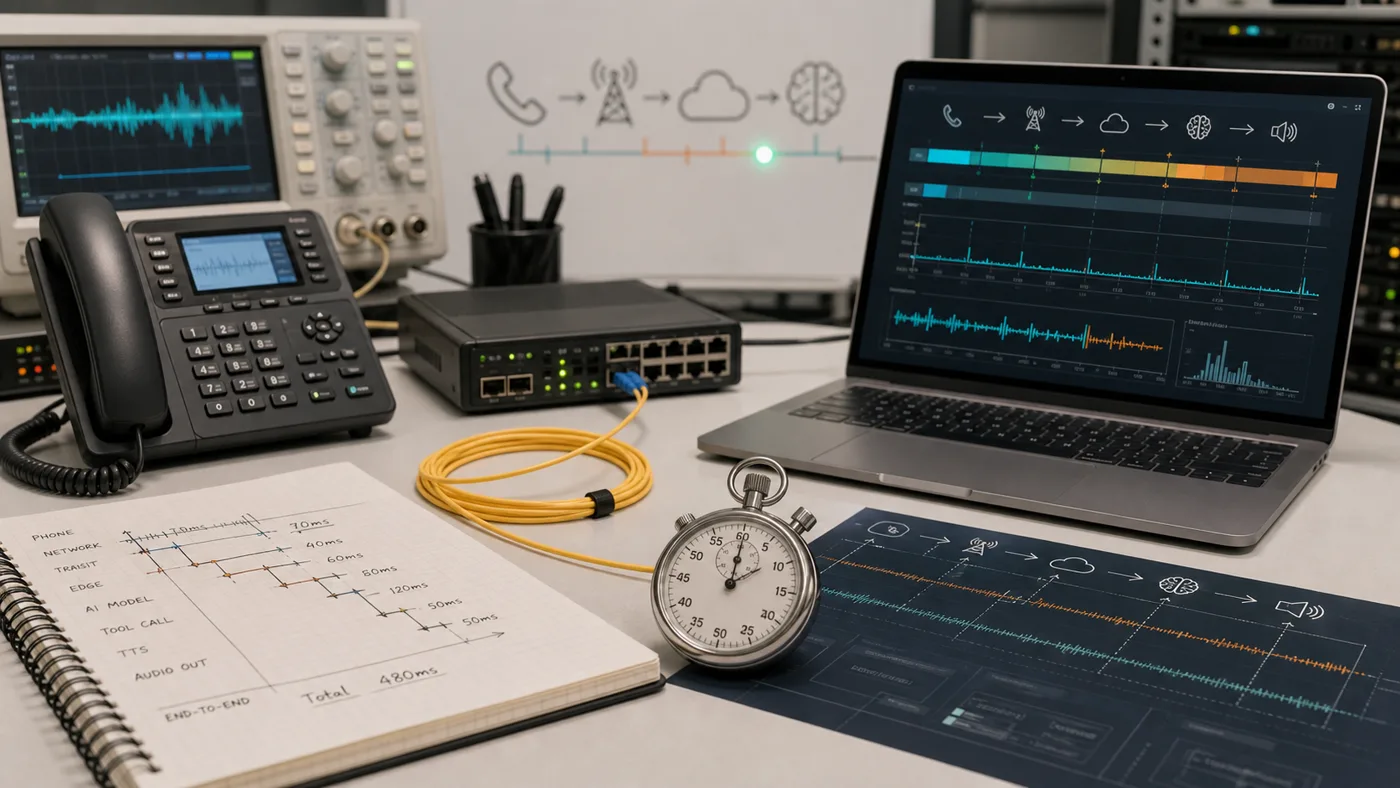
The Stack Buyers Are Really Buying
An AI voice agent feels simple to the caller: they speak, the agent answers, and a task either gets done or fails. Underneath that call is a chain of systems that all add delay and risk.
The practical stack is usually:
- Phone network or SIP trunk
- Audio streaming layer
- Speech recognition
- Conversation orchestrator
- LLM reasoning and prompt policy
- Tool or webhook execution
- Text-to-speech voice generation
- Call control, transfer, recording, analytics, and transcript storage
When a vendor page says “real time,” ask which part of the stack is real time. A fast text-to-speech model does not fix a slow CRM lookup. A clean demo prompt does not prove a transfer will work when the caller interrupts midway through a booking flow.
The stack should be reviewed as one system. A buyer can have a strong speech model, a good LLM, and a pleasant voice, then still launch a poor agent because phone transfer, CRM lookup, or post-call analysis is weak. The caller experiences the slowest part of the chain.
What Good Latency Feels Like
For inbound reception and qualification, buyers should evaluate perceived latency, not only the vendor’s published number. A caller notices:
- The delay before the first greeting
- The gap after a caller stops speaking
- Whether the agent can be interrupted
- Whether the agent repeats itself after an interruption
- Whether tool calls create long silent pauses
- Whether the voice starts too soon and talks over the caller
Good voice agents are not always the absolute fastest. They are predictable. They use short acknowledgements while a tool runs, confirm only when needed, and transfer quickly when the call leaves the configured workflow.
A Practical Latency Budget
The buyer does not need a lab-grade benchmark, but they do need to know where delay enters the call:
| Moment | What to measure | What usually causes delay |
|---|---|---|
| Call connect to greeting | Time from call answer to first agent audio. | Phone routing, number forwarding, assistant startup, welcome prompt. |
| Caller stop to agent response | Time after the caller stops talking. | End-of-speech detection, transcription, model response, voice generation. |
| Interruption recovery | Time from caller barge-in to agent stopping. | Audio streaming, speech detection, turn-taking configuration. |
| Tool request | Time while the agent checks a calendar, CRM, order, or reservation system. | API latency, retries, auth, bad data, external system speed. |
| Transfer start | Time from escalation trigger to human ring. | Call-control layer, routing rules, staff availability, carrier behavior. |
| Post-call availability | Time from call end to summary, transcript, and structured fields. | Analysis job, transcript quality, extraction schema, webhook delivery. |
The absolute number matters less than the pattern. A 600 ms response that interrupts callers is worse than a 900 ms response that feels respectful. A fast greeting does not help if every calendar lookup creates silence.
Architecture Questions To Ask
| Layer | Buyer question | Why it matters |
|---|---|---|
| Telephony | Can we bring our own carrier, numbers, or SIP trunk? | Existing phone systems, call routing, compliance, and cost may depend on it. |
| Speech recognition | How does it handle accents, background noise, spelling, and names? | Reception calls often contain addresses, insurance names, appointment times, and proper nouns. |
| Orchestration | Can workflows branch by intent, caller type, account status, or confidence? | Real calls are not linear scripts. |
| Tools | Are webhooks/functions first-class, logged, retried, and observable? | Booking and CRM updates are where demos become operations. |
| Voice | Can voice, pacing, interruption behavior, and disclosure language be tuned? | Brand trust and legal review both depend on the caller experience. |
| Analytics | Are transcripts, summaries, recordings, failure reasons, and costs visible? | You need a feedback loop after launch. |
| Handoff | Can the agent transfer with context and an escalation reason? | Human teams need to know what happened before they answer. |
Call Control Is A Separate Layer
Voice AI buyers often focus on the model and forget the phone layer. The phone layer determines whether the agent can answer, hold, transfer, record, stream audio, detect voicemail, bridge calls, or route by schedule. Programmable voice providers and voice-agent platforms differ in how much of this control they expose.
For custom builds, ask whether the platform uses webhooks or real-time events for call state, whether calls can be controlled during the conversation, and whether the team can bring existing numbers or SIP trunks. For SMB tools, ask the simpler version: can the business keep its number, forward after-hours calls, transfer urgent callers, and see missed-call outcomes?
Call control matters most when the workflow has a live fallback. A transfer that works only as a blind dial is not the same as a warm transfer with caller context, escalation reason, and a fallback message if the team is unavailable.
The Tool-Call Trap
Many demos can answer FAQs without touching business systems. The harder question is whether the agent can safely complete work:
- Check availability
- Book or reschedule an appointment
- Create a lead
- Update a CRM record
- Look up an order
- Send a payment or intake link
- Create a support ticket
- Transfer to a live person with context
For every tool call, ask what happens on timeout, partial success, bad data, duplicate data, and user correction. A production agent needs retry policy, confidence thresholds, and clear caller language when the system cannot complete the action.
Tool-Call Design Questions
Every connected action should have an owner and a failure path:
| Action | Must define | Failure path |
|---|---|---|
| Calendar booking | Slot lookup, appointment type, caller identity, confirmation, duplicate prevention. | Offer callback, create task, or transfer if availability is uncertain. |
| CRM lead creation | Required fields, duplicate matching, attribution, consent, notes. | Capture message and flag incomplete data instead of creating bad records. |
| Support ticket | Customer lookup, issue category, priority, assignment, attachments. | Route urgent issues to a human or queue with clear severity. |
| Reservation | Party size, date, time, location, guest notes, cancellation policy. | Suggest alternatives or transfer for large parties/private events. |
| Payment or intake link | Consent, phone/email confirmation, secure link delivery, audit trail. | Avoid collecting sensitive information directly if the system is not approved. |
The agent should speak differently during tool work. Short status language such as “I am checking that now” is useful. Long silence, repeated filler, or invented certainty is not.
A Practical Latency Test
Run the same five calls across vendors and record timestamps:
- First greeting after call connection
- Response after a short factual question
- Response after a caller interruption
- Response after a booking or CRM lookup
- Transfer initiation after escalation trigger
Do not rely on one perfect call. Run each scenario at least three times. Track average, worst case, and subjective awkwardness. The worst call is often more predictive than the best demo.
Observability Buyers Should Require
A production agent needs evidence after the call:
- Full transcript
- Recording or recording policy
- Conversation turns with timestamps
- Tool-call request and response log
- Transfer event log
- Post-call summary
- Structured data extraction
- Success or failure evaluation
- Cost by call
- Error reason for incomplete workflows
If those artifacts are missing, the team will struggle to improve the agent. The first launch week will reveal new caller phrasing, unclear policies, bad integration assumptions, and edge cases. Without observability, every failure becomes a vague anecdote.
Barge-In And Turn-Taking
Interruption handling is a core architecture feature, not a nice-to-have. Callers interrupt to correct dates, spell names, push back, or ask urgent questions. The agent should stop speaking quickly, listen, update its state, and avoid restarting the same sentence from the beginning.
Test with natural interruptions:
- “Actually, make that Friday.”
- “No, the number is 512, not 215.”
- “Can I talk to someone?”
- “Wait, I have another question.”
- “That is not what I asked.”
Poor barge-in handling makes an otherwise smart agent feel rude. It also creates bad data because the agent may proceed with the wrong appointment, address, phone number, or issue type.
When To Choose A Platform Versus A Finished Receptionist
Developer platforms are attractive when you need custom routing, owned infrastructure choices, complex tool calls, or productized voice agents for customers. Finished AI receptionist tools are better when the buyer needs fast setup, clear support, packaged integrations, and less engineering ownership.
The architecture tradeoff is simple: more control usually means more testing responsibility. Less control usually means fewer edge-case options. Neither is automatically better; the right answer depends on how expensive failure is for the call type.
Architecture Review By Buyer Type
| Buyer | Architecture review should focus on |
|---|---|
| Local operator | Number setup, call forwarding, staff dashboard, knowledge updates, callback messages, and predictable pricing. |
| Agency | Reusable templates, client-specific credentials, reporting exports, multi-account management, and support boundaries. |
| Product team | APIs, SDKs, webhooks, custom tools, observability, deployment controls, and data ownership. |
| Healthcare or legal team | Recording controls, transcript retention, BAA or confidentiality language, access controls, escalation, and audit exports. |
| Contact center | Routing, concurrency, QA dashboards, agent assist, analytics, workforce process, and security review. |
Architecture Proof To Request
Before choosing a platform, ask for proof that the architecture can handle the exact call path you plan to launch. Strong evidence includes documented tool-call behavior, webhook logs, call analysis fields, transfer rules, recording controls, and transcript review. Architecture depth matters most when the call must update systems, transfer cleanly, or survive messy caller behavior.
Launch Standard
Do not launch a voice agent only because the demo sounded good. Launch when the team has verified:
- The phone number and routing path are production-equivalent.
- The agent can be interrupted without losing the task.
- The main tool call works and has a failure path.
- The human transfer path includes context.
- Post-call summaries and structured fields are accurate enough for staff.
- Data retention and recording behavior are approved.
- Costs are visible at the call level.
That standard turns architecture into an operational checklist. It gives buyers a way to compare vendors without being dazzled by a single smooth conversation.
Buyer FAQs
What latency should buyers measure in an AI voice agent?
Measure call connect to greeting, caller stop to agent response, interruption recovery, tool-call wait, transfer start, and post-call summary availability. The caller feels the whole chain, not one model benchmark.
Why do tool calls affect voice agent quality?
Calendar, CRM, reservation, or ticketing lookups can create silence, retries, wrong answers, or failed actions. A production vendor should show how tool calls are logged, timed, retried, and handled when they fail.